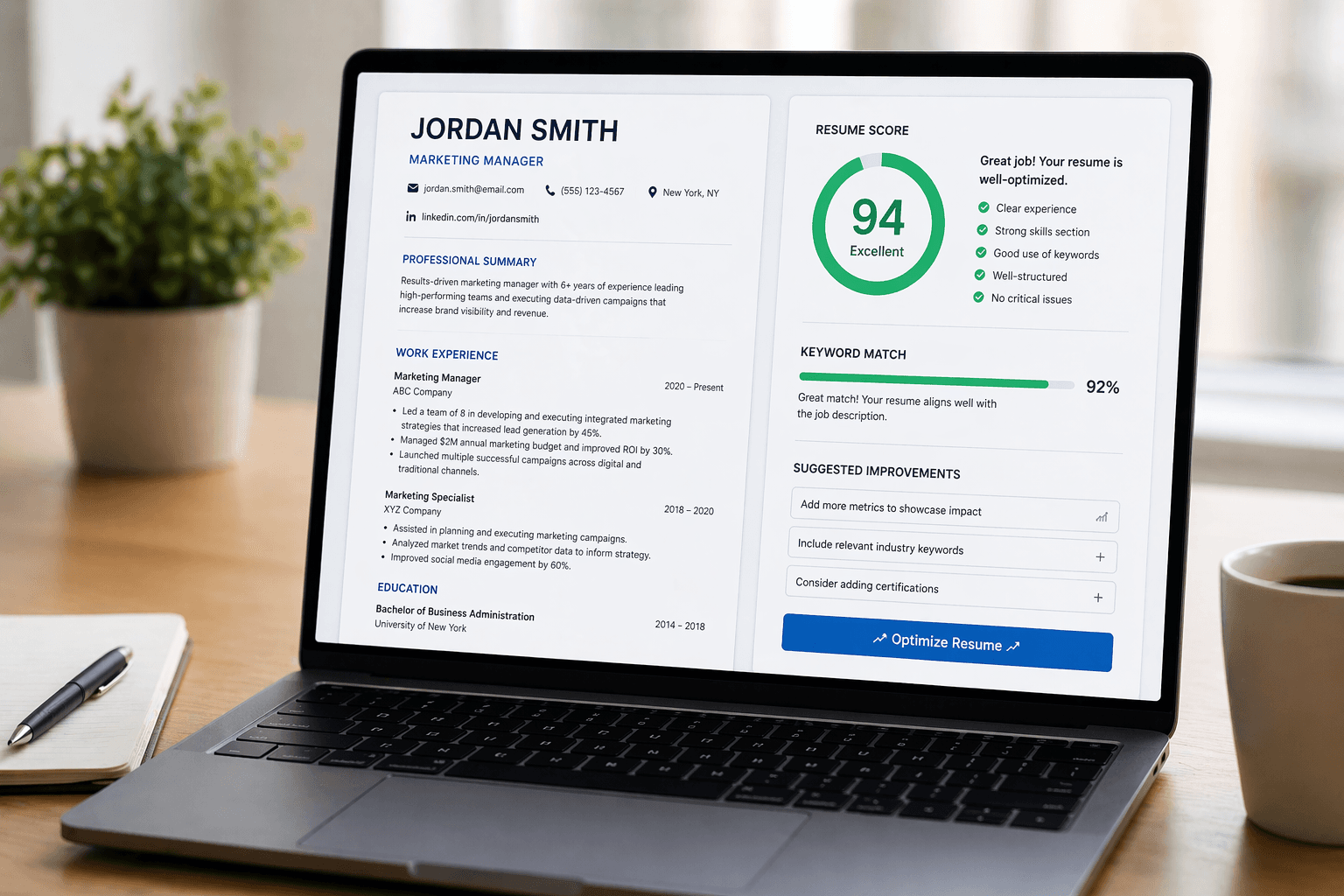
You have heard the statistic by now. Roughly 75% of resumes are rejected by Applicant Tracking Systems before a recruiter ever opens them. You might have even experienced it — applying to dozens of roles and hearing nothing back despite being perfectly qualified.
The problem is rarely your experience. It is how your resume is structured, formatted, and worded. ATS software does not read your CV the way a human does. It parses it — extracting text, matching keywords, categorising sections, and generating a score. If your resume is not built for that process, you lose before anyone sees your name.
This guide covers every aspect of making your resume ATS-compatible. Not theory. Not vague advice. The specific formatting rules, keyword strategies, and structural decisions that determine whether your application passes or gets filtered out.
This guide pairs with our article on why resumes get rejected by ATS. If you have not read that yet, start there for the full context on how ATS software works, then come back here for the step-by-step fix.
What ATS Software Actually Does to Your Resume
When you click "Apply" on a company career page, your resume enters an Applicant Tracking System. The software performs several operations in sequence. First, it parses your document — converting it from a formatted file into structured data fields. Your name goes into the name field, your email into the contact field, your work history into the experience section, and so on.
Then it scores you. The ATS compares the extracted data against the job description, looking for keyword matches, years of experience, required skills, education requirements, and other criteria the employer defined. Each match adds to your score. Each gap reduces it. If your total score falls below the threshold the company set, your application is automatically filtered out of the active pipeline.
The critical thing to understand is that parsing comes before scoring. If the ATS cannot parse your resume correctly — because of formatting issues, unusual layouts, or incompatible file types — it does not matter how qualified you are. Your information ends up in the wrong fields, your keywords do not register, and your score is artificially low.
Everything in this guide works backward from that reality. First, we fix the parsing. Then we optimise the scoring.
Use the Right File Format
This is the simplest fix and one of the most common mistakes. The file format you submit your resume in directly affects how well the ATS can parse it.
Submit your resume as a .docx file (Microsoft Word) or a clean, text-based PDF. These two formats are reliably parsed by all major ATS platforms including Workday, Greenhouse, Lever, iCIMS, and Taleo.
Avoid these formats entirely:
Image-based PDFs (scanned documents) — the ATS sees a blank page because there is no extractable text
Designed PDFs from Canva, Figma, or InDesign — these often use text boxes, layers, and non-standard encoding that confuses parsers
Google Docs links — most ATS cannot open a shared link, they need an uploaded file
Pages files (.pages) — only readable by Apple software
Rich text format (.rtf) — inconsistent parsing across systems
When in doubt, submit .docx. It is the most universally compatible format across all ATS platforms. If the job portal gives you the option to upload multiple files, submit both a .docx and a clean PDF as a backup.
Use a Single-Column Layout
This is the most impactful formatting change you can make. Multi-column layouts, sidebars, text boxes, tables, and grid-based designs all create parsing problems for ATS software.
Here is why. ATS parsers read documents top to bottom, left to right, in a single linear stream. When your resume has two columns, the parser might read across both columns on the same line — mixing your work experience with your skills section into a jumbled mess. A sidebar with your contact information might get parsed as the first line of your work history. A text box with a skills summary might be skipped entirely because the parser does not recognise it as part of the document flow.
The fix is straightforward. Use a single-column layout where everything flows from top to bottom in one stream. Your name and contact information at the top, followed by a summary, then work experience, then education, then skills. No columns. No sidebars. No text boxes. No tables used for layout purposes.
This does not mean your resume has to look plain or ugly. A clean single-column resume with good typography, clear section dividers, and proper spacing looks professional and polished. The most effective resumes in the world — the ones that pass ATS and impress recruiters — are single-column documents with strong content and clean formatting.
1
column. That's all your resume needs.
Use Standard Section Headings
ATS software identifies sections of your resume by their headings. It looks for specific labels to categorise your information correctly. When it finds "Work Experience" it knows the content below is your employment history. When it finds "Education" it knows to look for degrees and institutions.
Use these exact headings:
Professional Summary or Summary (not "About Me" or "Who I Am")
Work Experience or Professional Experience (not "My Journey" or "Career Path")
Education (not "Academic Background" or "Where I Studied")
Skills or Technical Skills (not "What I Bring" or "My Toolkit")
Certifications (not "Credentials" or "My Qualifications")
Projects (acceptable as-is)
Volunteer Experience (acceptable as-is)
Creative headings are one of the most common reasons ATS misclassifies your information. If the system cannot identify your work experience section, it may score you as having zero relevant experience — even if you have 10 years in the field. The heading label matters more than you think.
Never use icons, emojis, or special characters in your section headings. A heading that reads "💼 Experience" or "★ Skills" may not be parsed at all. Stick to plain text headings with standard characters.
Mirror the Job Description Keywords
Keyword matching is the core of how ATS scoring works. The system compares the words in your resume against the words in the job description. The closer the match, the higher your score.
This does not mean stuffing random keywords into your resume. It means reading the job description carefully and using the same language to describe your genuine experience. If the posting says "project management" and your resume says "managed projects," some ATS will not register the match. If the posting lists "Python, Django, PostgreSQL" and you wrote "backend programming languages," you have zero keyword matches for three specific requirements.
Here is the process for every job you apply to:
Read the entire job description thoroughly before touching your resume
Highlight every specific skill, tool, technology, qualification, and requirement mentioned
For each highlighted item, check whether your resume contains that exact phrase
Where the phrase is missing but you genuinely have the skill, add it — using the same wording as the job description
Place keywords in context, not in a hidden block. Write them into your experience bullet points naturally: "Led project management for a 12-person engineering team" rather than listing "project management" as a standalone keyword
The key word is "genuinely." Mirror the language for skills you actually have. Do not add keywords for skills you do not possess. If you pass the ATS with inflated keywords and make it to an interview, the gap will be immediately obvious and you will have wasted everyone's time — including your own.
Run this exercise for EVERY job you apply to. A single version of your resume will not score well across different roles because each job description uses different language and prioritises different skills. Tailoring takes 15-20 minutes per application and is the single biggest factor in your ATS score.
Optimise Your Skills Section
Your skills section is where the ATS finds the densest concentration of keywords. A well-structured skills section can significantly boost your score because it provides direct, parseable matches against the job requirements.
Format your skills section as a simple list of specific, named skills. Not categories. Not vague descriptions. Exact names of tools, technologies, methodologies, and competencies.
Bad skills section:
Programming languages
Cloud platforms
Database management
Agile project management
Good skills section:
Python, JavaScript, TypeScript, Go
AWS (EC2, S3, Lambda), Google Cloud Platform
PostgreSQL, MongoDB, Redis
Scrum, Kanban, JIRA, Confluence
The first version contains zero ATS-matchable keywords. The second version contains 13 specific terms that can each match against a job description. The difference in ATS score between these two approaches is enormous.
Also include soft skills that are explicitly mentioned in the job description. If the posting asks for "stakeholder management" or "cross-functional collaboration," include those exact phrases in your skills section or work experience descriptions.
Quantify Your Experience
Modern ATS systems increasingly evaluate specificity, not just keyword presence. Bullet points with measurable outcomes score higher than vague responsibility descriptions.
Every bullet point in your work experience should follow this formula: Action + Context + Measurable Result.
Weak bullet point: "Responsible for managing the marketing team"
Strong bullet point: "Led a 6-person marketing team that increased qualified leads by 34% over two quarters through restructured content strategy and paid campaign optimisation"
The strong version contains more keywords (marketing team, qualified leads, content strategy, campaign optimisation), provides context (6 people, two quarters), and demonstrates measurable impact (34% increase). An ATS sees more matches. A recruiter sees someone who drives results. Both gates are satisfied.
34%
Your score boost when you quantify achievements vs. listing responsibilities
Format Your Dates and Job Titles Correctly
ATS systems parse your employment dates to calculate years of experience. If your dates are formatted inconsistently or unusually, the parser may miscalculate your experience level — potentially disqualifying you for a role you are fully qualified for.
Use one of these date formats consistently throughout your entire resume:
Month Year — Month Year (e.g., January 2020 — March 2023)
MM/YYYY — MM/YYYY (e.g., 01/2020 — 03/2023)
Mon YYYY — Mon YYYY (e.g., Jan 2020 — Mar 2023)
For your current role, use "Present" or "Current" as the end date: "March 2023 — Present"
For job titles, use standard industry titles. If your actual title was something internal or unusual like "Client Happiness Engineer," translate it to the standard equivalent: "Customer Success Manager." The ATS matches your title against the title in the job description. A standard title matches. A creative internal title does not.
Remove These ATS Killers
Beyond the formatting rules above, there are specific elements that actively break ATS parsing. Remove all of these from your resume:
Headers and footers — many ATS parsers skip header and footer content entirely. Never put your contact information in a header. Place it in the main body of the document.
Images, logos, and graphics — ATS cannot read images. Your professional headshot, company logos, skill-level bar charts, and infographics are invisible to the parser.
Text in text boxes — content inside Word or PDF text boxes is often skipped during parsing. Everything should be standard paragraph or list text in the main document body.
Fancy fonts — stick to standard system fonts: Arial, Calibri, Cambria, Georgia, Helvetica, Times New Roman. Decorative fonts can render as garbled characters in the parser.
Invisible keywords — some candidates hide white text on a white background hoping to stuff extra keywords. ATS systems detect this and many will auto-reject your application for attempted manipulation.
Hidden keyword stuffing is detected by modern ATS platforms and can result in automatic rejection and flagging. Do not try to game the system with invisible text. Optimise honestly by matching your genuine skills to the job description language.
Check Your Score Before You Apply
You would not submit a report to your CEO without proofreading it. Do not submit your resume without checking how it scores against the specific job you are applying for.
ATS score checkers analyse your resume against a job description and show you exactly where you match and where you fall short. They identify missing keywords, flag formatting issues, evaluate your skills alignment, and give you an overall compatibility score.
The process takes under a minute: upload your resume, paste the job description, and get a detailed breakdown. Fix the gaps, re-check, and then apply. This loop — check, fix, apply — is what separates candidates who get interviews from candidates who get silence.
Check your ATS score before your next application
GigForge's ATS Analyzer scans your resume against any job description and shows you exactly what to fix — keywords, formatting, skills gaps, and an overall compatibility score. Free, instant results.
Check My ATS Score Free →The Complete ATS-Optimised Resume Checklist
Before submitting your next application, run through this checklist:
File format is .docx or clean text-based PDF
Layout is single column with no sidebars, tables, or text boxes
All section headings are standard: Summary, Work Experience, Education, Skills, Certifications
No images, logos, charts, or graphics anywhere in the document
Contact information is in the document body, not in a header or footer
Font is a standard system font (Arial, Calibri, Georgia, or similar)
Every skill, tool, and technology from the job description that you genuinely have is included in your resume using the same wording
Skills section lists specific named tools and technologies, not vague categories
Every work experience bullet point includes a measurable result where possible
Dates are formatted consistently throughout (Month Year — Month Year)
Job titles use standard industry terminology
No hidden text, white-on-white keywords, or keyword stuffing
You have run the resume through an ATS score checker against the specific job description and scored above 70%
What to Do After You Pass the ATS
Passing the ATS is the first gate, not the finish line. Your resume then reaches a human recruiter who spends an average of 6 to 8 seconds on an initial scan. This means the top third of your resume — your name, current title, summary, and first two bullet points — must immediately communicate your fit.
Write a 2-3 sentence professional summary at the top of your resume that states who you are, your most relevant experience, and what you bring to this specific role. This is the first thing a recruiter reads after your name, and it frames how they interpret everything that follows.
After optimising for ATS, read your entire resume out loud. If it sounds like a keyword-stuffed list rather than a clear narrative of what you have accomplished, revise. The best resumes pass ATS scoring and read naturally to a human. Both gates matter.
The ideal resume is a document that an ATS scores at 80%+ and a recruiter finds compelling in 6 seconds. Those are not competing goals — a well-structured resume with specific, quantified achievements and properly matched keywords satisfies both simultaneously.
Common ATS Myths That Waste Your Time
There is a lot of bad advice about ATS circulating on social media. Here are the most common myths and the reality behind each.
Myth: You need to use an ATS-specific resume template. Reality: Any clean single-column document in .docx or PDF format works. There is no special "ATS template" — there are just well-formatted resumes and poorly formatted ones.
Myth: You should list every keyword as many times as possible. Reality: Keyword stuffing lowers your score on modern ATS platforms. Include each relevant keyword once or twice in natural context. Quality of placement matters more than quantity of repetition.
Myth: ATS rejects resumes based on length. Reality: Most ATS platforms do not penalise for length. A 2-page resume for a mid-career professional is perfectly fine. A 1-page resume for an entry-level candidate is also fine. The ATS scores content, not page count.
Myth: You need a different resume for every single application. Reality: You need a base resume that you tailor for each application. The structure, layout, and core content stay the same. You adjust the keywords, skills section, and summary to match each specific job description. This tailoring takes 15-20 minutes, not a full rewrite.
Start Passing ATS Today
Your resume is not getting rejected because you are not qualified. It is getting rejected because software cannot read it properly or cannot find the keywords it is looking for. Both problems are fixable in under an hour.
Fix the format: single column, standard headings, no graphics, clean PDF or .docx. Match the language: mirror the exact keywords and phrases from each job description. Quantify your impact: replace vague responsibilities with specific, measurable achievements. And check your score before every application so you never submit blind.
The candidates who understand ATS and optimise for it get dramatically more interviews from the same number of applications. The system is not unfair — it just has rules that most applicants do not know. Now you know them.
Never apply blind again
Upload your resume, paste the job description, and see your ATS compatibility score in seconds. Free, no signup required.
Try ATS Analyzer Free →